Bajeev Transactions — Fast, Secure, and Completely Hassle-Free Deposits & Withdrawals
Send and receive money in minutes via Mobile Pay, Nagad, Rocket, or bank transfer. Managing your funds on Bajeev has never been this simple.

Send and receive money in minutes via Mobile Pay, Nagad, Rocket, or bank transfer. Managing your funds on Bajeev has never been this simple.
Bajeev supports Bangladesh's most popular payment options
Bangladesh's most widely used mobile banking service. Both personal and merchant numbers are supported.
A digital financial service authorized by the postal department. Popular for fast transactions and low fees.
Mobile banking by Dutch-Bangla Bank. Wide network coverage across the country with reliable service.
Direct account transfers from all scheduled banks. Ideal for large transactions.
USDT transfer via TRC-20 network. Enjoy the fastest speeds and the highest level of security.
Mobile financial service by United Commercial Bank. Simple interface with fast processing.
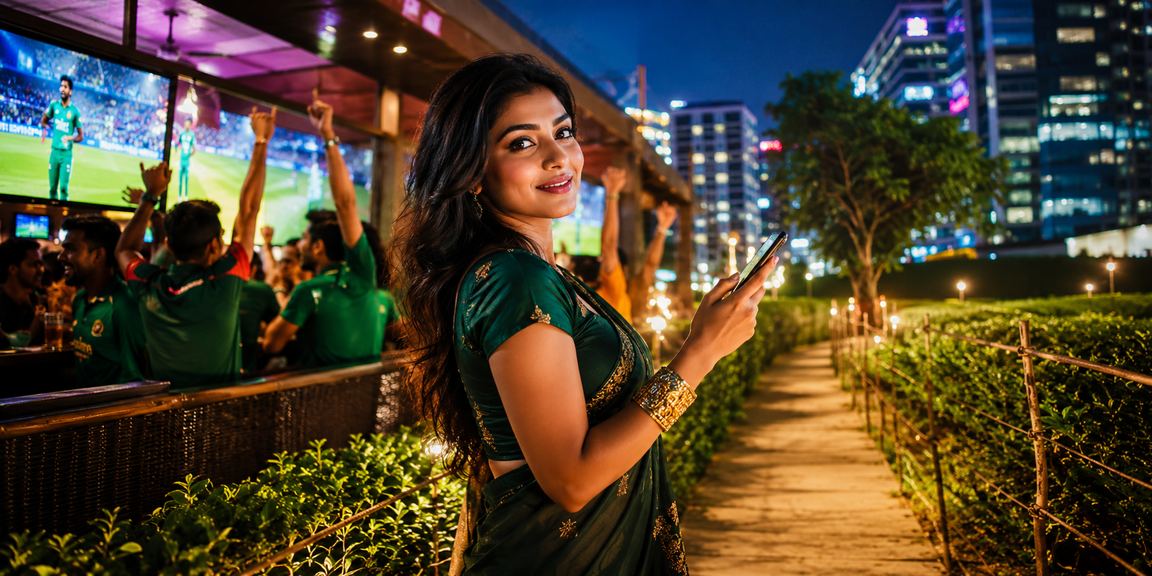
Making a deposit on Bajeev is straightforward. Just follow the steps below and your account will be funded within minutes.
Open the Bajeev website or app and log in with your username and password. If you're new, complete your registration first.
Click the "Deposit" button on your dashboard and select your preferred payment method — Mobile Pay, Nagad, Rocket, or any other available option.
Enter the amount you wish to deposit and provide your mobile banking number. Then complete the payment to the specified number.
Paste the Transaction ID (TxID) from your payment confirmation into Bajeev's form and hit submit.
As soon as verification is complete, funds will be credited to your Bajeev wallet — usually within 5 minutes.
Cashing out your winnings is just as simple. Bajeev ensures your funds reach you as quickly as possible.
Go to the "Withdrawal" option from your dashboard. Confirm that your account has sufficient balance and that wagering requirements have been met.
Select the payment method you want to send money to. It's recommended to use the same method you used for the deposit.
Make sure your withdrawal amount and mobile number are entered correctly. Recovering funds sent to the wrong number can be difficult.
Review all details and click the Submit button. The system will begin processing your request immediately.
Funds are typically credited to your mobile banking or bank account within 15 minutes. During peak hours, it may take up to 1 hour.
Open an account on Bajeev today and get a welcome bonus of up to BDT 10,000 on your first deposit.
Side-by-Side Comparison of All Payment Methods
| Payment Method | Deposit Limits | Withdrawal Limits | Deposit Time | Withdrawal Time | Charge |
|---|---|---|---|---|---|
| Mobile Pay | ৳500 – ৳50,000 | ৳500 – ৳30,000 | 5 minutes | 15 minutes | Free |
| Nagad | ৳500 – ৳50,000 | ৳500 – ৳30,000 | 5 minutes | 15 minutes | Free |
| Rocket | ৳500 – ৳30,000 | ৳500 – ৳25,000 | 10 minutes | 20 minutes | Free |
| Upay | ৳500 – ৳25,000 | ৳500 – ৳20,000 | 8 Minutes | 20 minutes | Free |
| Bank Transfer | ৳1,000 – ৳5,00,000 | ৳1,000 – ৳2,00,000 | 30 minutes | 1 – 4 hours | Free |
| USDT (TRC-20) | $10 – Unlimited | $10 – Unlimited | 15 minutes | 30 minutes | Network Fee |

Before joining an online gaming or betting platform, the question people ask most is — "Will my money be safe?" That's a completely fair question. Bajeev takes this seriously, which is why security is built into every step of the financial transaction process.
Bajeev's payment system is secured with 256-bit SSL encryption, meaning your transaction data is encoded in a way that makes it virtually impossible for any third party to read or alter. On top of that, every withdrawal request goes through a manual verification process to ensure funds reach the right person.
Many users wonder why Mobile Pay deposits reflect so quickly. The reason is that Bajeev maintains direct API integration with mobile financial service providers, cutting out any intermediary. Your payment is recorded in the system instantly and verified in real time — which is why deposits typically complete in just 5 minutes under normal conditions.
When it comes to withdrawals, Bajeev follows a strict policy — funds are delivered within the set timeframe, no excuses. If there's ever a delay, the customer service team proactively notifies you and explains the reason. That transparency is what sets Bajeev apart.
The minimum deposit of ৳500 is intentionally set low — so new users can get started without taking on much risk. Many platforms require a minimum of ৳2,000 or ৳3,000, which creates a barrier for beginners. Bajeev believes everyone deserves to play within their own budget.
The cryptocurrency option is ideal for those who prefer greater privacy and flexibility. Transactions via USDT involve no bank or mobile operator. Keep in mind that network fees apply to crypto transactions.
A word on the account verification (KYC) process. For security purposes, Bajeev requires each account to complete KYC once. This involves submitting a photo of your national ID or passport. Once verified, all future withdrawals are processed faster because the system already recognizes you.
One important thing to keep in mind — it's best to use the same payment method for both deposits and withdrawals. If you deposited via Mobile Pay, withdraw via Mobile Pay; if you deposited via Nagad, withdraw via Nagad. This is part of Bajeev's anti-money laundering policy and also serves to protect your account.
Above all, Bajeev's financial transaction system was built with Bangladesh's realities in mind. Services like Mobile Pay and Nagad are prioritized so that even users in the most remote parts of the country can send and withdraw money with ease. Bank and crypto options are also available for users with more advanced needs.
All transactions are secured with 256-bit SSL encryption. Your personal and financial information is kept completely confidential.
Verify once with your National ID and that's it — future withdrawals become faster and more straightforward.
If you run into any transaction issues, our live chat support is available in Bangla around the clock. No problem goes unresolved.
To learn more about our transaction terms and conditions, please visit our Terms & Conditions View page.

Why Bajeev's Financial System Is Trusted in Bangladesh
Every transaction is protected with bank-grade encryption. Your data cannot be intercepted or read by anyone during transmission.
Your payment information is never shared with third parties. Bajeev adheres to a strict privacy policy.
OTP verification is mandatory for every withdrawal, eliminating the risk of unauthorized withdrawals entirely.
Track the status of every transaction in real time right from your dashboard — always know exactly where your money is.
If a deposit fails for any reason, your money will be automatically refunded within 30 minutes. No hassle, no follow-up needed.
View your complete transaction history at any time. Date, amount, method, and status — all in one place.
What the full journey looks like — from a simple deposit to placing your first game
Keep these points in mind for smooth transactions every time
Always enter the correct TxID when making a deposit. Submitting the same TxID twice will result in the second submission being rejected.
Before requesting a withdrawal, make sure your wagering requirements have been met — otherwise your request will remain pending.
Transactions between 11 PM and 5 AM may be slightly slower. If it's urgent, transact during daytime hours.
Only one payment number can be linked to an account. To make changes, please contact Support.
Answers to the Most Frequently Asked Questions